changedetection搭配bark来监控网页变化(强烈推荐)
cd 的github:https://github.com/dgtlmoon/changedetection.io
bark的部署:https://web.justezlife.xyz/?id=493
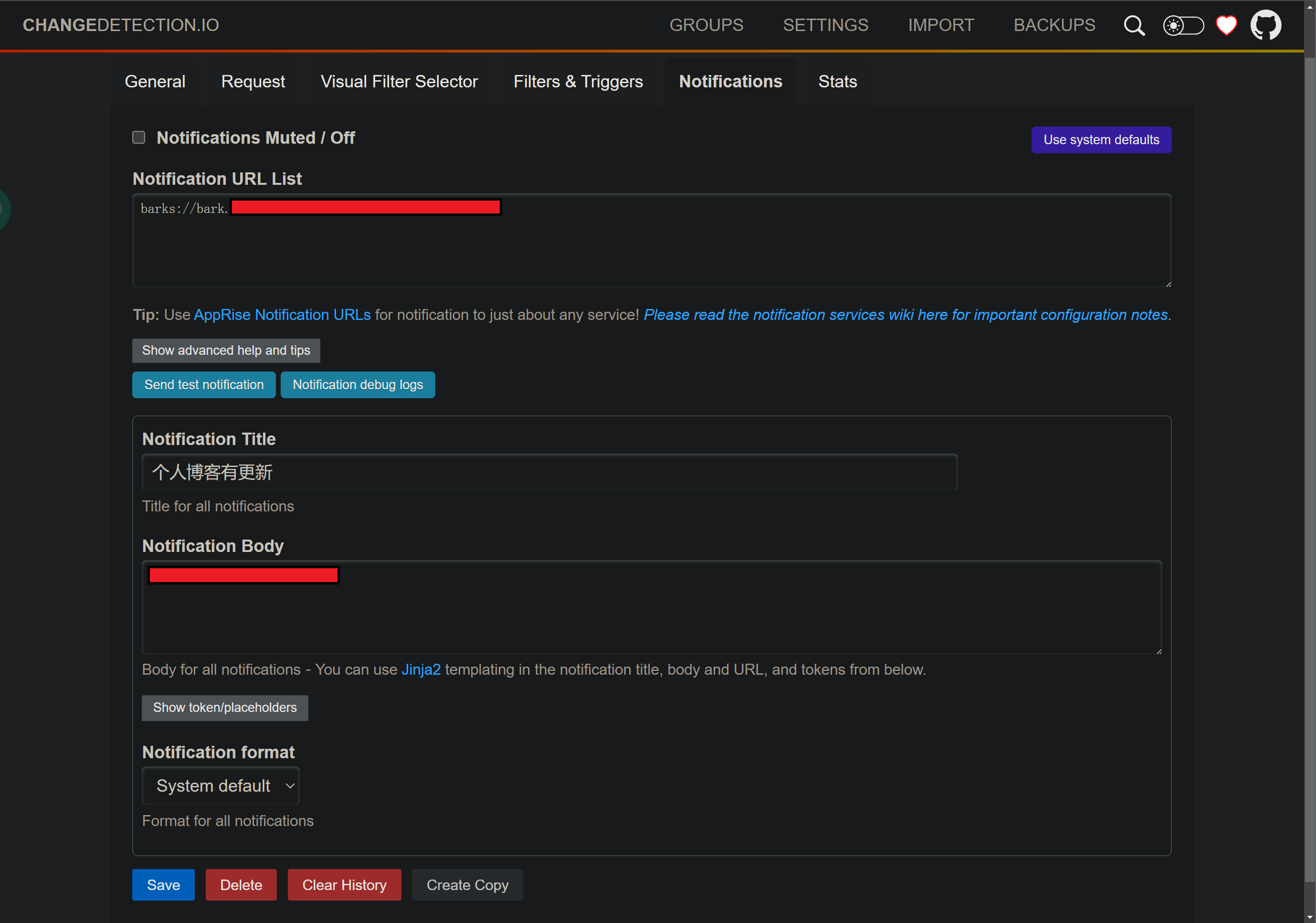
apprise中关于bark的推送设置:https://github.com/caronc/apprise
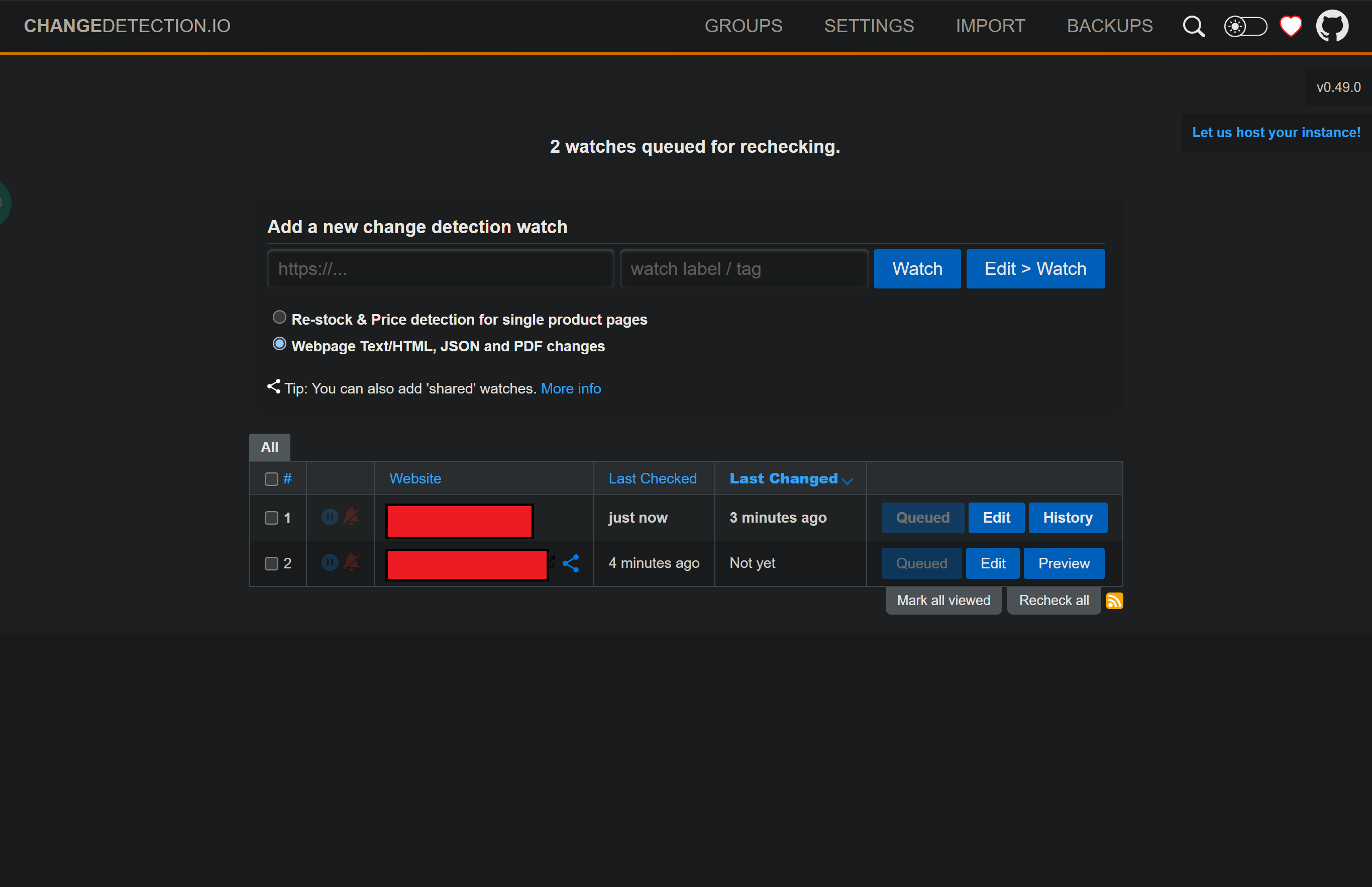
具体效果:
changedetection部署:
services:
    changedetection:
      image: ghcr.io/dgtlmoon/changedetection.io
      container_name: changedetection
      hostname: changedetection
      volumes:
        - ./changedetection-data:/datastore
      ports:
        - 9980:5000 # 如果冲突了可以修改左侧的9980为空闲端口
      restart: unless-stopped
volumes:
  changedetection-data:
上面是简单版的,以下为官方复杂的,稍微改动一下:
services:
    changedetection:
      image: ghcr.io/dgtlmoon/changedetection.io
      container_name: changedetection
      hostname: changedetection
      volumes:
        - ./changedetection-data:/datastore
# Configurable proxy list support, see https://github.com/dgtlmoon/changedetection.io/wiki/Proxy-configuration#proxy-list-support
#        - ./proxies.json:/datastore/proxies.json

      environment:
  #        Default listening port, can also be changed with the -p option
  #      - PORT=5000
  #
  #        Log levels are in descending order. (TRACE is the most detailed one)
  #        Log output levels: TRACE, DEBUG(default), INFO, SUCCESS, WARNING, ERROR, CRITICAL
  #      - LOGGER_LEVEL=TRACE
  #
  #       Alternative WebDriver/selenium URL, do not use "'s or 's!
  #      - WEBDRIVER_URL=http://browser-chrome:4444/wd/hub
  #
  #       WebDriver proxy settings webdriver_proxyType, webdriver_ftpProxy, webdriver_noProxy,
  #                                webdriver_proxyAutoconfigUrl, webdriver_autodetect,
  #                                webdriver_socksProxy, webdriver_socksUsername, webdriver_socksVersion, webdriver_socksPassword
  #
  #             https://selenium-python.readthedocs.io/api.html#module-selenium.webdriver.common.proxy
  #
  #       Alternative target "Chrome" Playwright URL, do not use "'s or 's!
  #       "Playwright" is a driver/librarythat allows changedetection to talk to a Chrome or similar browser.
        - PLAYWRIGHT_DRIVER_URL=ws://sockpuppetbrowser:3000
  #
  #       Playwright proxy settings playwright_proxy_server, playwright_proxy_bypass, playwright_proxy_username, playwright_proxy_password
  #
  #             https://playwright.dev/python/docs/api/class-browsertype#browser-type-launch-option-proxy
  #
  #        Plain requests - proxy support example.
  #      - HTTP_PROXY=socks5h://10.10.1.10:1080
  #      - HTTPS_PROXY=socks5h://10.10.1.10:1080
  #
  #        An exclude list (useful for notification URLs above) can be specified by with
  #      - NO_PROXY="localhost,192.168.0.0/24"
  #
  #        Base URL of your changedetection.io install (Added to the notification alert)
  #      - BASE_URL=https://mysite.com
  #        Respect proxy_pass type settings, `proxy_set_header Host "localhost";` and `proxy_set_header X-Forwarded-Prefix /app;`
  #        More here https://github.com/dgtlmoon/changedetection.io/wiki/Running-changedetection.io-behind-a-reverse-proxy-sub-directory
  #      - USE_X_SETTINGS=1
  #
  #        Hides the `Referer` header so that monitored websites can't see the changedetection.io hostname.
  #      - HIDE_REFERER=true
  #
  #        Default number of parallel/concurrent fetchers
  #      - FETCH_WORKERS=10
  #
  #        Absolute minimum seconds to recheck, overrides any watch minimum, change to 0 to disable
  #      - MINIMUM_SECONDS_RECHECK_TIME=3
  #
  #        If you want to watch local files file:///path/to/file.txt (careful! security implications!)
  #      - ALLOW_FILE_URI=False
  #
  #        For complete privacy if you don't want to use the 'check version' / telemetry service
  #      - DISABLE_VERSION_CHECK=true
  #
  #        A valid timezone name to run as (for scheduling watch checking) see https://en.wikipedia.org/wiki/List_of_tz_database_time_zones
        - TZ=Asia/Shanghai

      # Comment out ports: when using behind a reverse proxy , enable networks: etc.
      ports:
        - 9980:5000
      restart: unless-stopped

     # Used for fetching pages via WebDriver+Chrome where you need Javascript support.
     # Now working on arm64 (needs testing on rPi - tested on Oracle ARM instance)
     # replace image with seleniarm/standalone-chromium:4.0.0-20211213

     # If WEBDRIVER or PLAYWRIGHT are enabled, changedetection container depends on that
     # and must wait before starting (substitute "browser-chrome" with "playwright-chrome" if last one is used)
      depends_on:
          sockpuppetbrowser:
              condition: service_started


     # Sockpuppetbrowser is basically chrome wrapped in an API for allowing fast fetching of web-pages.
     # RECOMMENDED FOR FETCHING PAGES WITH CHROME
    sockpuppetbrowser:
        hostname: sockpuppetbrowser
        image: dgtlmoon/sockpuppetbrowser:latest
        cap_add:
            - SYS_ADMIN
## SYS_ADMIN might be too much, but it can be needed on your platform https://github.com/puppeteer/puppeteer/blob/main/docs/troubleshooting.md#running-puppeteer-on-gitlabci
        restart: unless-stopped
        environment:
            - SCREEN_WIDTH=1920
            - SCREEN_HEIGHT=1024
            - SCREEN_DEPTH=16
            - MAX_CONCURRENT_CHROME_PROCESSES=10

volumes:
  changedetection-data:
使用了sockpupperbrowser,更能直观的比较网页变化。去除很多白噪声。利用bark给ios发消息,简直绝了。