把某台电脑设置为可ping通,然后写个bat自动去ping,检测该电脑是否开机
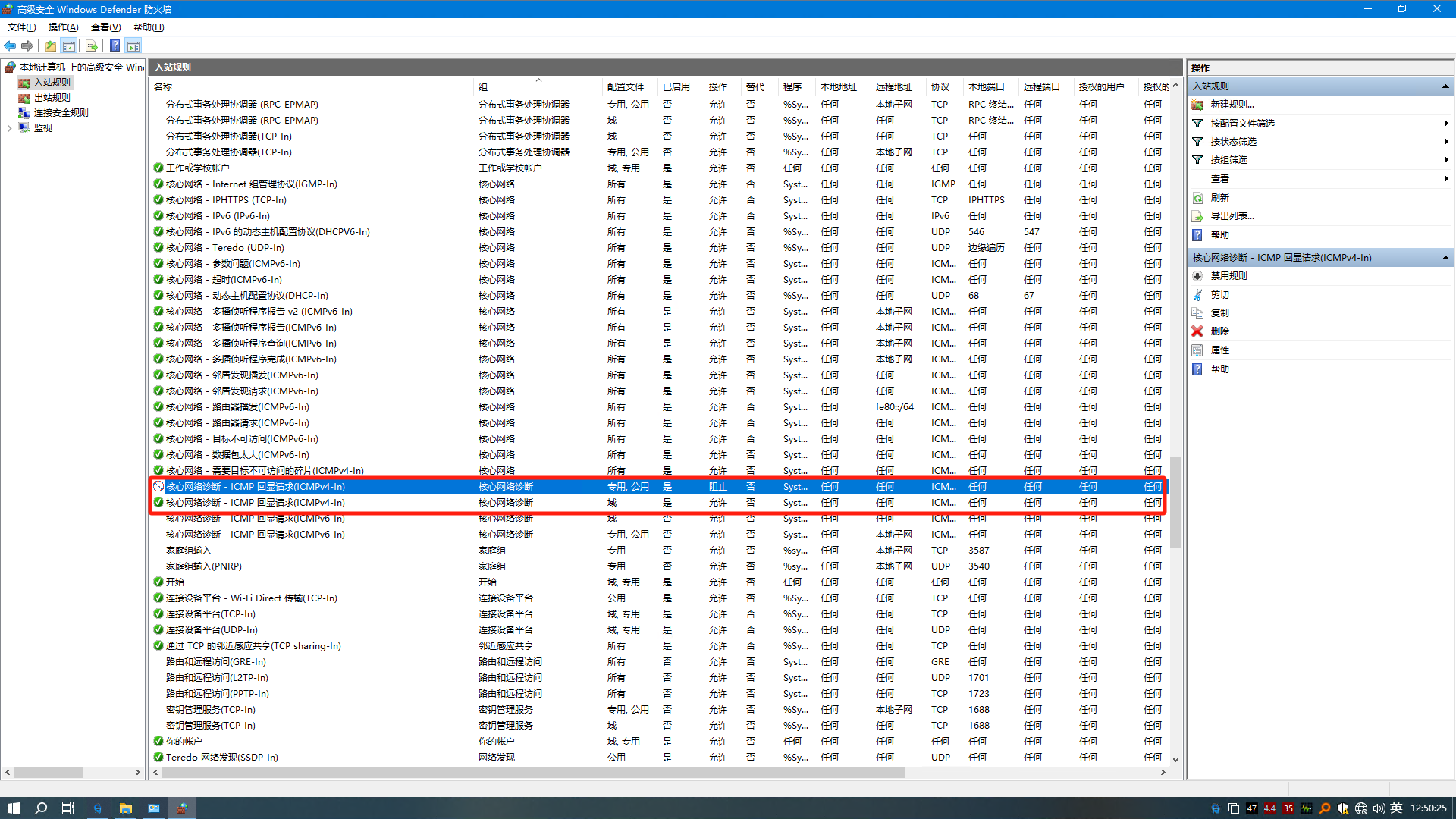
首先打开防火墙,在高级选项中找到icmp回显。这样这台windows就允许别的设备ping它了,一般没有特殊需求的不要这么干。
@echo off
:START
echo.
echo.
echo Now time is %date% %time%
echo.
echo Testing IP Address 192.168.1.1
ping -n 1 192.168.1.1>nul
if errorlevel 1 (
    msg * 192.168.1.1 is dead check it out
) else (
    echo Ping OK!!!
)

echo.
echo Testing IP Address 192.168.1.2
ping -n 1 192.168.1.2 >nul
if errorlevel 1 (
    msg * 192.168.1.2 is dead check it out
) else (
    echo Ping OK!!!
)

echo.
echo Testing IP Address 192.168.1.3
ping -n 1 192.168.1.3 >nul
if errorlevel 1 (
    msg * 192.168.1.3 is dead check it out
) else (
    echo Ping OK!!!
)

timeout /t 600 >nul
::600 seconds -_-
goto START
这样就是每隔600秒,对上述192.168.1.1等3个ip地址ping一遍。如果ping不通,就跳出对话框告知。这是个最为简单的检测目前该电脑是否开机中,有没有断电。免去了远程桌面登录,提高了效率。